Booking system
home page
UI project of a reservation system tailored for implementation in various medical clinics. A basic design system was created, which can be customized to the client’s brand (logo and color palette). The main features of the project include high readability and user-friendly navigation throughout the website.
The home page serves as a clear search engine to initiate the appointment booking process. The booking process is shortened to 4 steps. Throughout all stages, the user is informed about the current status of the process and has the option to return to the previous step. The system project complies with WCAG guidelines, and clear form validation has been implemented.
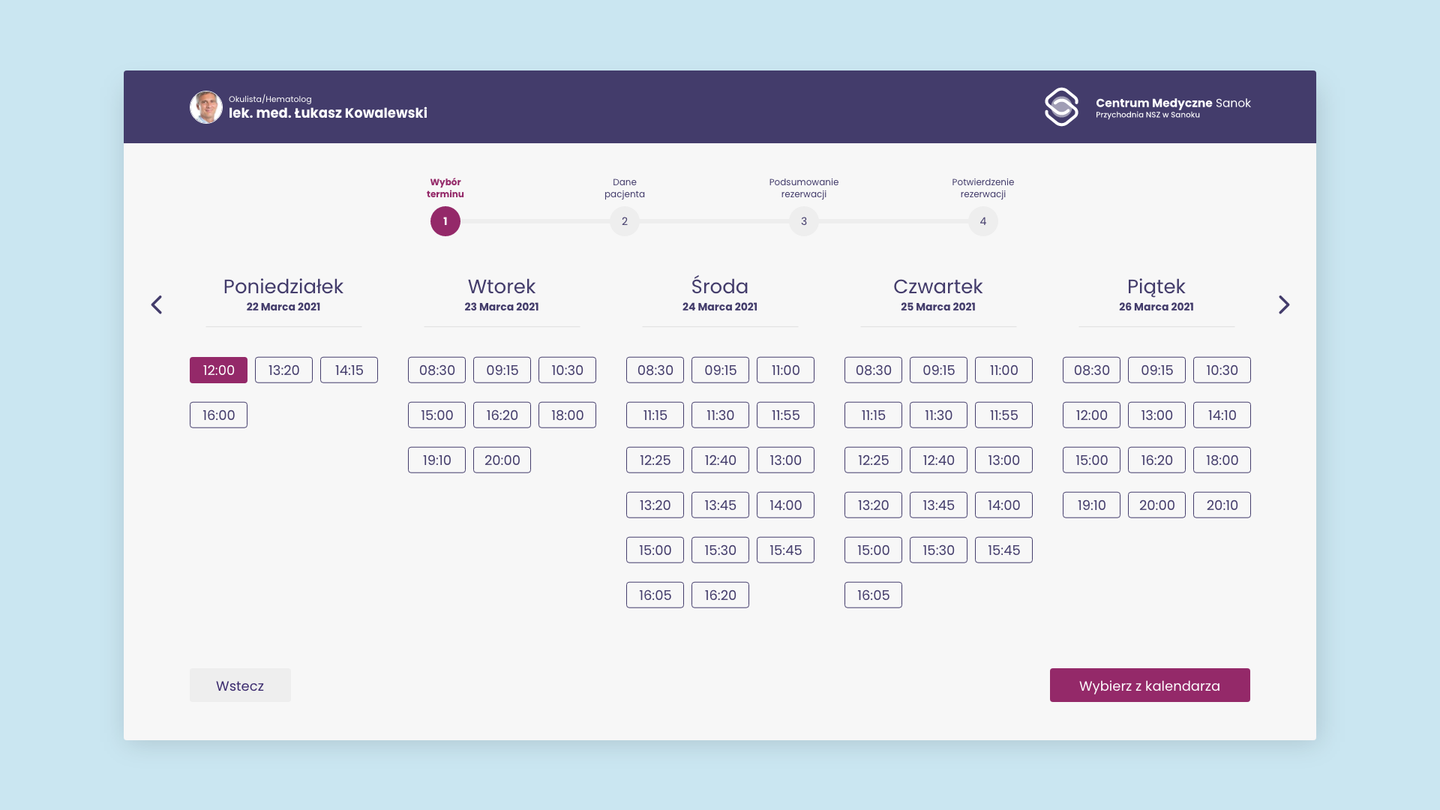
calendar
The calendar displays the next 5 upcoming days with the option to select a specific time. The functionality is divided into two variants: in the first one, when the user selects a specific specialist in the search, the calendar will show results only for that specialist. However, if no specific specialist is chosen, the calendar will display all available appointments. Upon selecting a time slot, the specialist’s details (basic information and photo) will be presented.
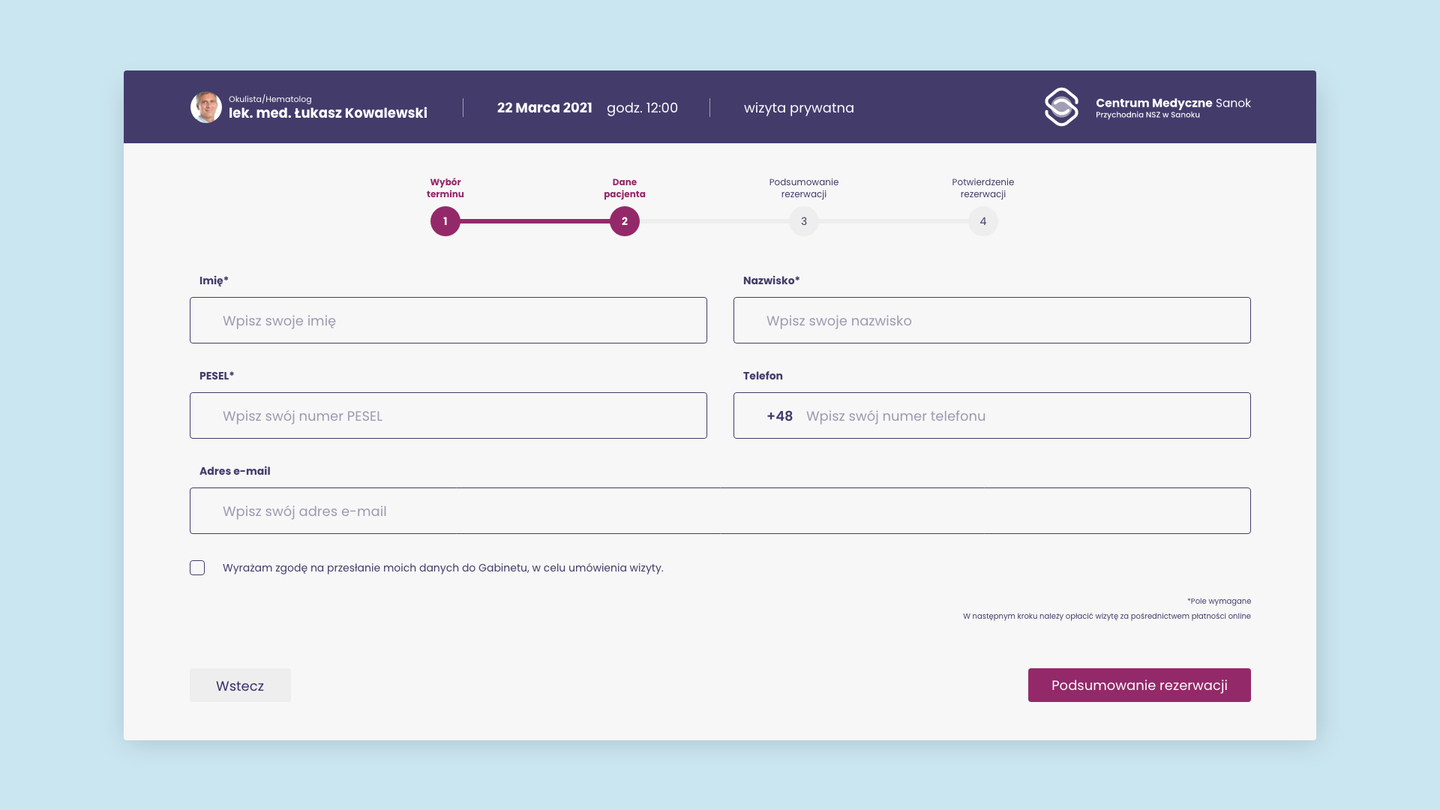
reservation form
The reservation form utilizes placeholders to facilitate completion by users. Clarity and large buttons aim to simplify the process.
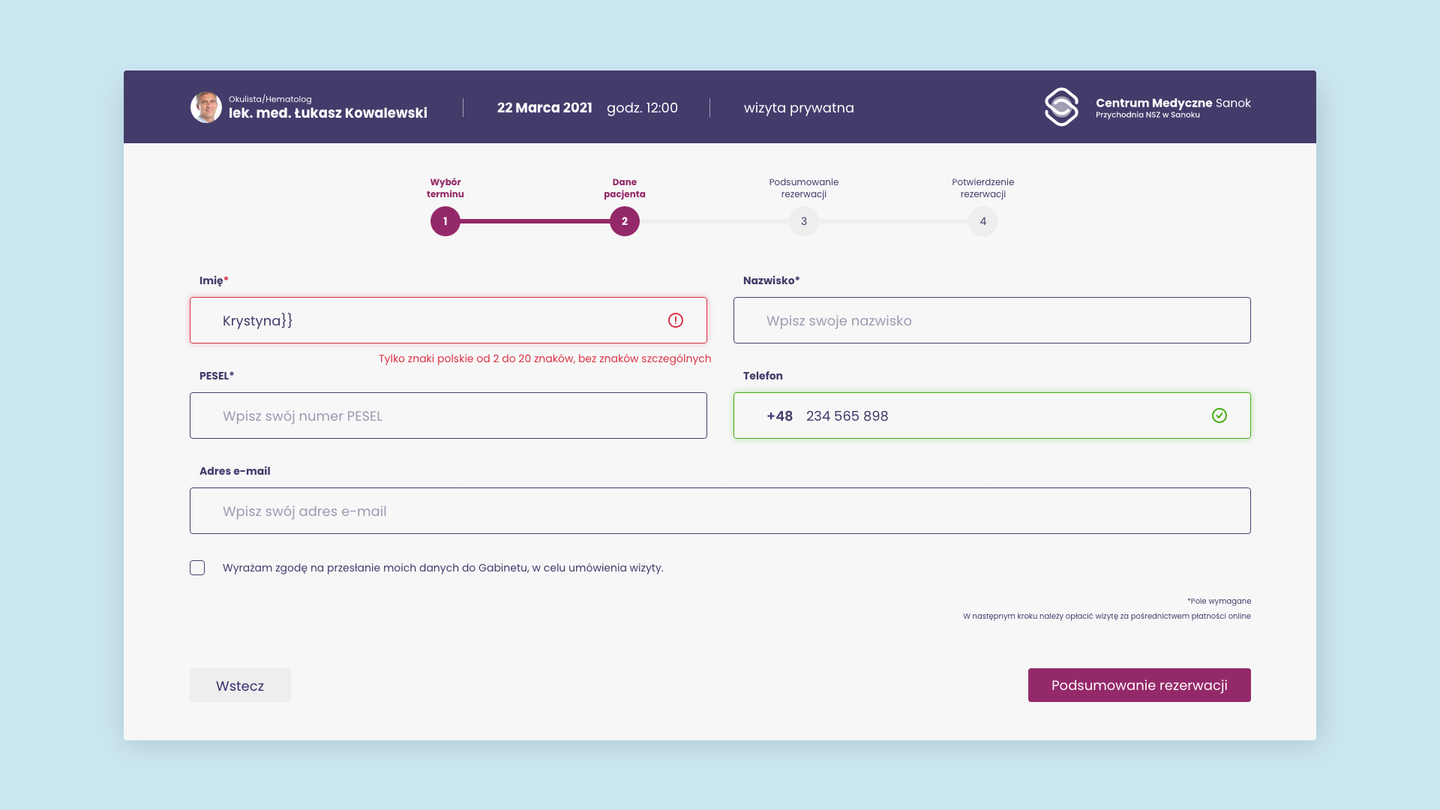
form validation
Form validation has been adjusted, using color/icons/text indication.
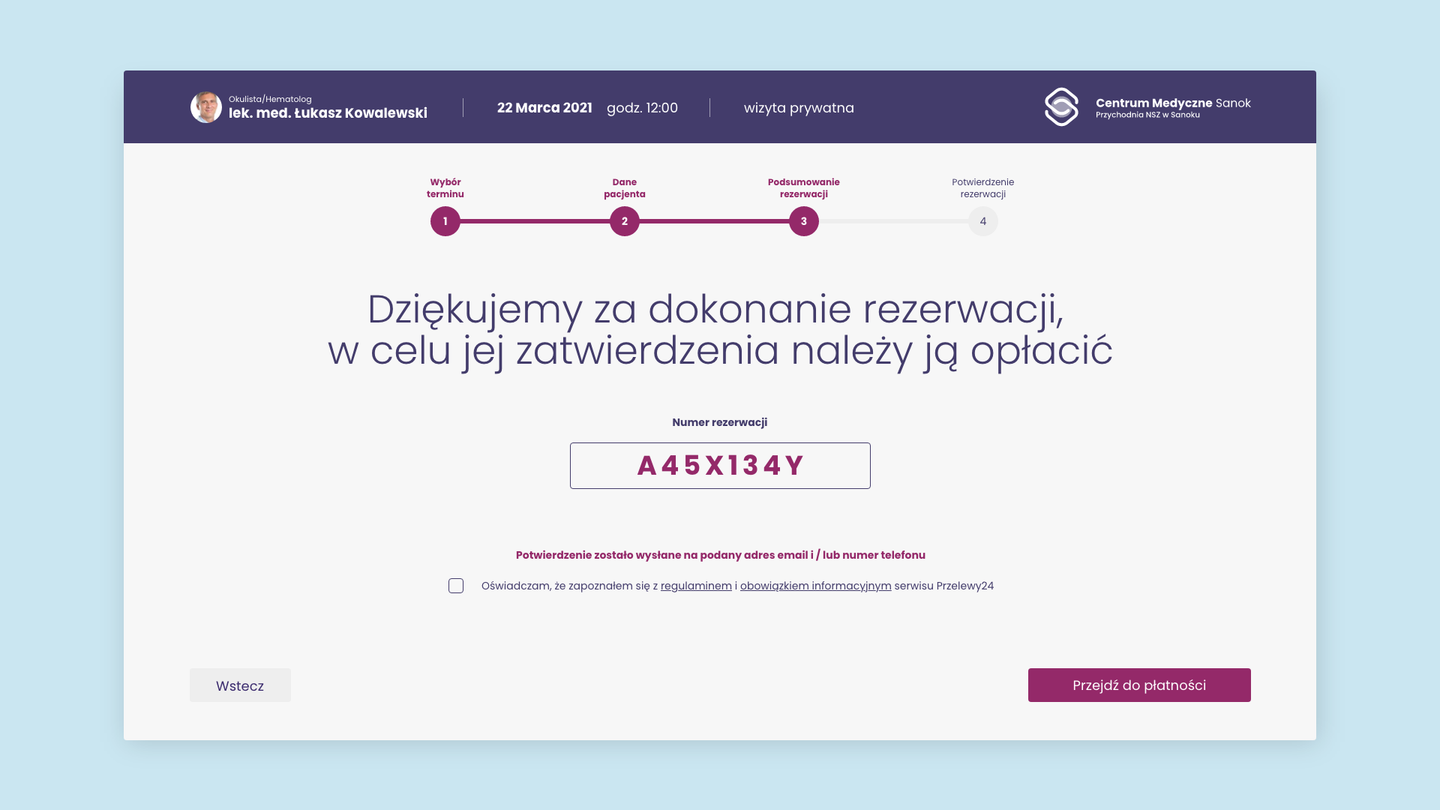
reservation confirmation
Step 3 of the appointment booking process is confirmation – the view displays a message confirming the successful reservation, reservation number, and a button redirecting to the payment page.
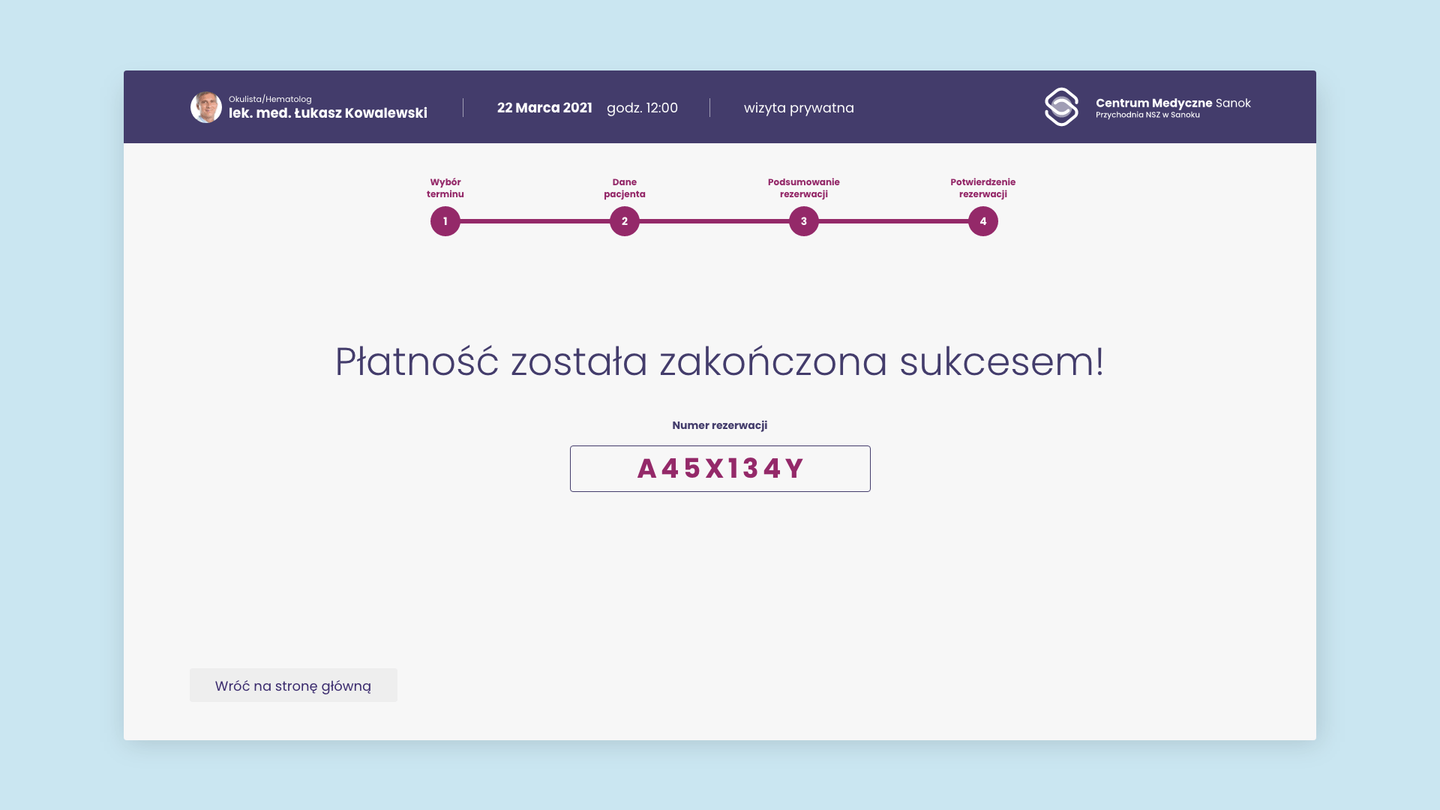
payment confirmation
After making the payment, the user will receive feedback confirming the successful completion of the reservation process.